

Comfy Cloud
Comfy Cloud does not currently support installing custom nodes. If you need specific custom nodes or features, please leave a message in support or submit feedback so we know what features you want to use.
Accessing the manager
Click the Manager button on the main menu (top bar).
Installing custom nodes
- Click Install Custom Nodes from the Manager menu
- Browse or search for the node you want to install
- Click Install or Try Install
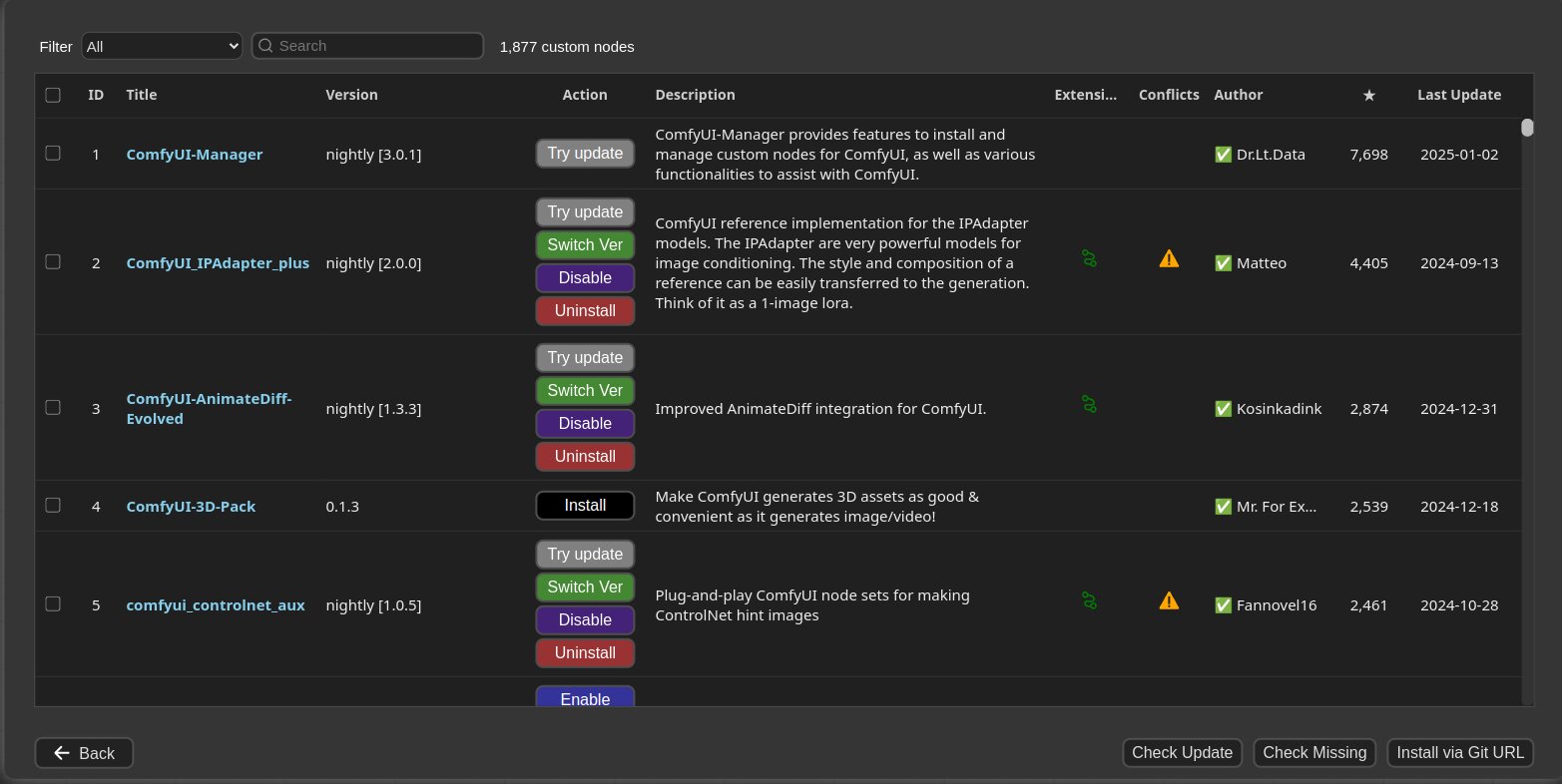
Installation status indicators
- Installed: This item is already installed
- Install: Click to install the item
- Try Install: Installation information cannot be confirmed; click to attempt installation
Database modes
There are three DB modes for the node list:| Mode | Description |
|---|---|
DB: Channel (1day cache) | Uses cached channel information (1-day validity) for quick display. This is the default mode. |
DB: Local | Uses information stored locally in ComfyUI-Manager. Updated only when you update ComfyUI-Manager. |
DB: Channel (remote) | Retrieves information from the remote channel, always displaying the latest list. |
If a red background
Channel indicator appears at the top, it means you’re not using the default channel. Many custom nodes may not appear in this state.Installing models
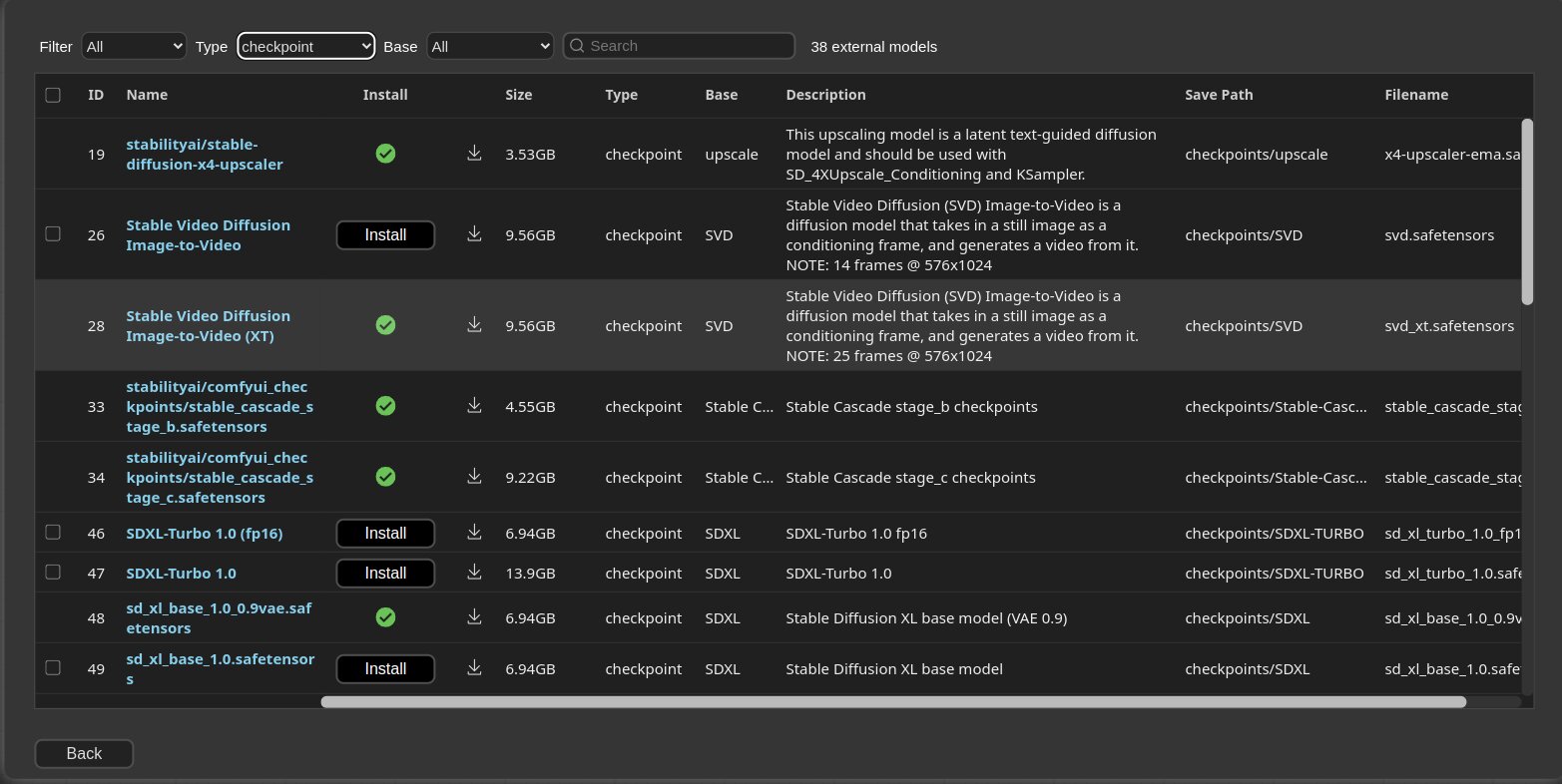
- Click Install Models from the Manager menu
- Browse or search for the model you want
- Click Install
Updating custom nodes
- Click Fetch Updates to retrieve update data for custom nodes locally
- Click Update button in the Install Custom Nodes menu to apply updates
Installing missing nodes
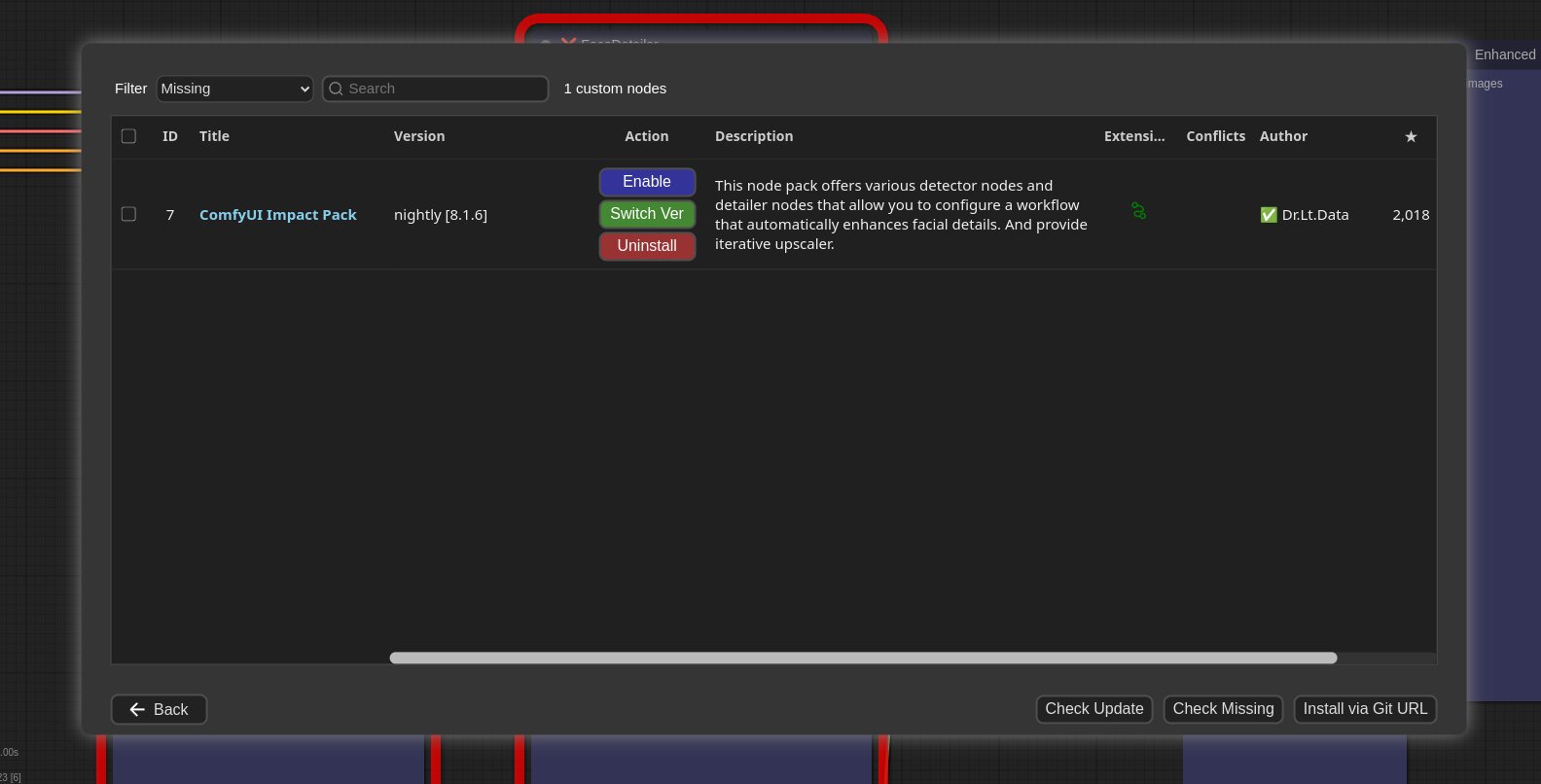
When you load a workflow with missing nodes:- Click Install Missing Custom Nodes from the Manager menu
- A list of extension nodes containing the missing nodes will appear
- Install the required extensions
Snapshot manager
Snapshots save your current installation status, allowing you to restore to a previous state.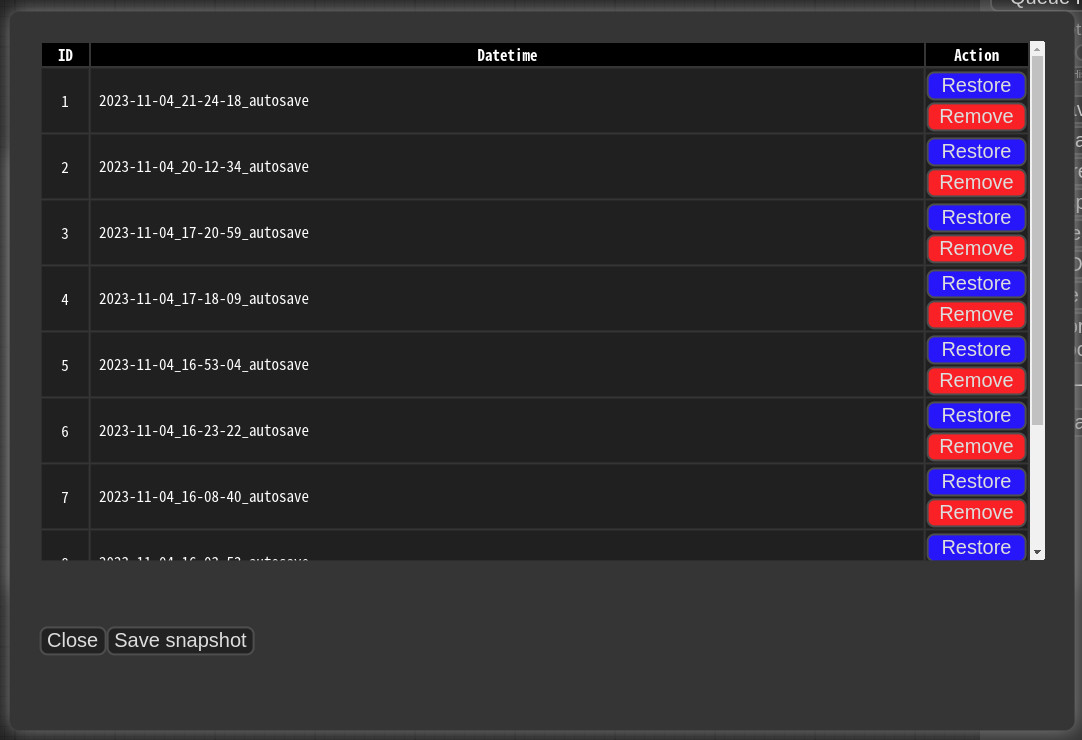 Snapshots are automatically saved when you press Save snapshot or use Update All. Snapshot files are stored in:
 <USER_DIRECTORY>/default/ComfyUI-Manager/snapshots
To restore: Open the Snapshot Manager, select a snapshot, and press Restore.
Restoration takes effect on the next ComfyUI startup. For custom nodes not managed by Git, snapshot support is incomplete.